Protecting developers from supply chain attacks
 Luís Fontes
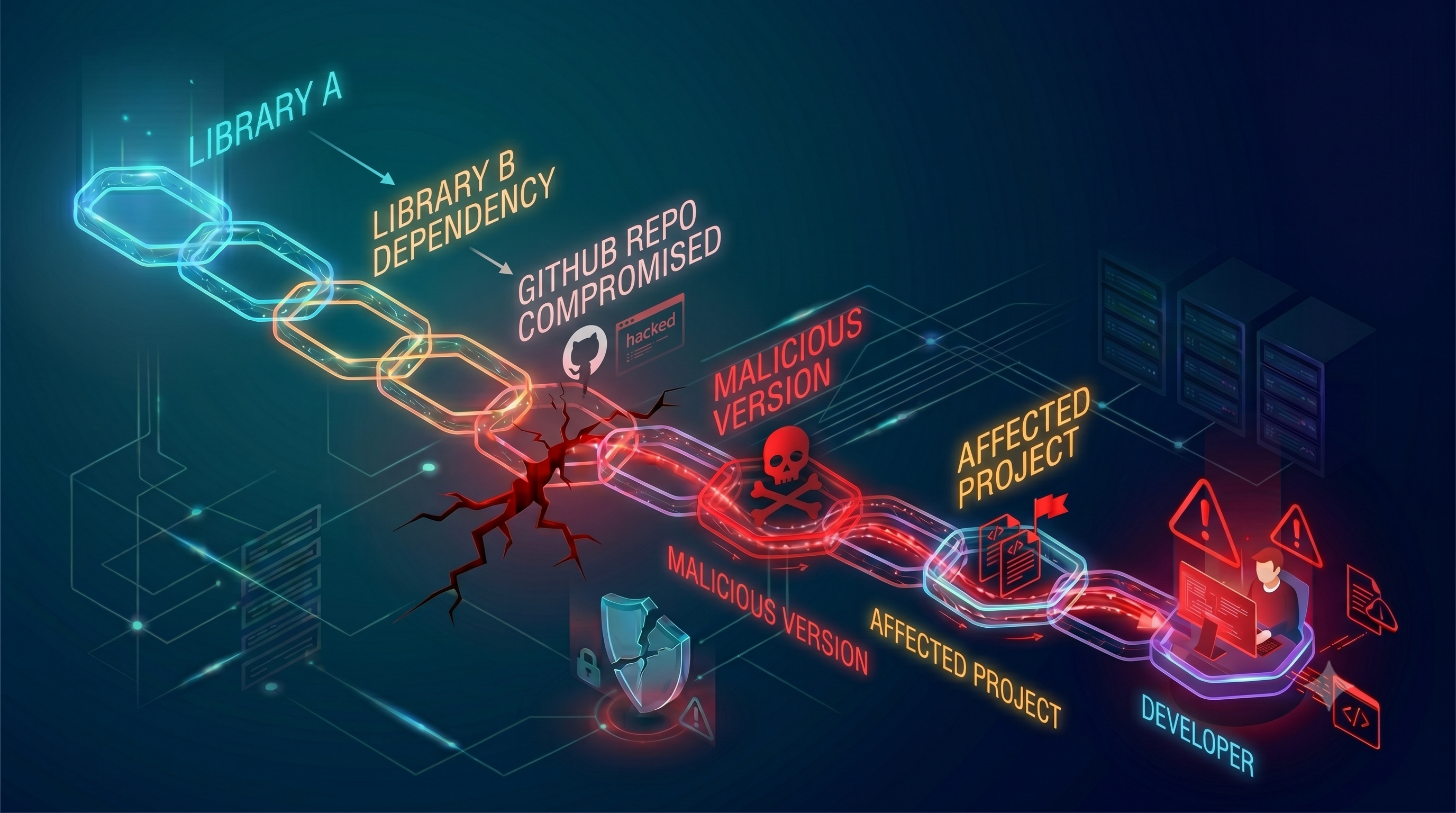
Developers have quietly become one of the most valuable targets in the modern threat landscape. Not because of who they are as individuals, but because of what sits on their machines: source code, SSH keys, AWS credentials, GitHub tokens, .env files, CI/CD secrets. A single compromised developer laptop is a beachhead into the entire engineering organization.
The attacks have been making headlines. TeamPCP has been on a rampage since early 2026. It started with the Trivy compromise in March, where they injected credential-stealing malware into Aqua Security’s widely-used vulnerability scanner, poisoning its GitHub Actions tags and official release binaries. The stolen credentials cascaded downstream: Checkmarx using Trivy in their pipelines had their tokens harvested, which TeamPCP then used to publish malicious VS Code extensions and GitHub Actions to thousands of downstream users. That same campaign reached LiteLLM’s PyPI package, where the maintainer’s account was hijacked and a malicious version deployed a .pth file that executed a credential stealer on every Python startup. No import required.
On a separate front, North Korea’s Lazarus Group has been running their “Contagious Interview” campaign for years. The premise: a fake recruiter on LinkedIn sends a coding assessment. The repository looks legitimate: proper README, a React frontend, Node.js backend, even a CI/CD config. Hidden inside the project a package.json file leverages npm scripts to run on project build or install; a .vscode/tasks.json file set to runOn: folderOpen, silently executing malware disguised as a script that runs the moment the developer opens the project; or more recently, the usage of git hooks, with a pre-commit hook that fires the moment the candidate tries to “fix the bug and commit”, exactly as the fake recruiter instructed. Different trigger, same payload, same result.
In this environment, the question isn’t whether your developers will be targeted. It’s whether the controls in place limit what an attacker can do when they land.
Understanding the Attack Vectors
These attacks broadly fall into two main categories, and understanding them shapes what effective protection looks like.
The malicious project vector is the North Korean playbook. The developer doesn’t install anything suspicious. They clone a repository as part of a routine task. The attack hides in the development tooling itself: VS Code tasks, git hooks, package.json postinstall scripts. The malware executes automatically through legitimate IDE or version control workflows. Within seconds, SSH keys, AWS credentials, shell history, and browser passwords are on their way to a C2 server. The complete attack chain from folder open to active backdoor takes under 40 seconds.
The dependency hijack vector is the supply chain attack playbook. Here the developer doesn’t need to do anything unusual at all. Just run npm install or pip install, or trigger a CI pipeline. The attacker compromises a maintainer account or poisons a GitHub Actions tag and gets code execution on any machine that installs or runs the affected package. The malware’s job is credential harvesting: sweep the filesystem for SSH keys, cloud credentials, git tokens, environment files, cryptocurrency wallets, then encrypt and exfiltrate.
Both vectors share the same immediate objective: get credentials off the developer’s machine and into the attacker’s hands. Those credentials then become the entry point for the next phase: lateral movement into CI/CD, cloud infrastructure, source code repositories, etc.
Defense in Depth
There’s no single control that stops all of this. The threat surface is too broad and the attack techniques too varied. The approach needs to be layered: multiple independent controls, each limiting what an attacker can accomplish even when others fail or get bypassed.
Here’s what I’ve been implementing.
Devcontainers
This is, by a wide margin, the most impactful control in the stack.
A devcontainer runs the entire development environment inside a Docker container. VS Code’s devcontainers integration gives developers a seamless experience (full IntelliSense, debugging, extensions, the terminal) while all of that actually executes inside the container. The developer’s machine runs only the IDE itself. No Node.js, no Python, no project dependencies, no dev tooling. Nothing from the repo ever touches the host operating system.
The security implications are significant:
No credentials to steal. SSH keys live on the host, not in the container. AWS credentials, git tokens don’t exist inside the container unless deliberately mounted there (which I’m not allowing with custom blocking rules). A malicious VS Code task, a poisoned npm package, or a backdoored Python library running inside the container finds an empty vault. The InvisibleFerret backdoor’s extensive credential harvest list (AWS, GCP, Azure, SSH keys, shell history, crypto wallets, browser passwords) comes up pretty much empty.
No meaningful persistence. Delete the container, spin up a fresh one, done. There’s no foothold to come back to. The systemd persistence mechanism that TeamPCP deployed in LiteLLM disappears with the container.
Blast radius is contained. Even in a worst-case scenario where malicious code runs and exfiltrates data, the attacker gets only the current project’s source code and whatever is explicitly inside the container. They don’t get a pivot point into the rest of the developer’s machine or other projects.
Extensions run in the container too. This matters directly given the Github incident. A malicious VS Code extension installed inside a devcontainer operates under the same constraints as everything else: no access to the host’s credentials, no persistent foothold.
The developer experience with devcontainers is genuinely good, and that matters. Onboarding a new engineer becomes “install Docker, clone the repo, reopen in container.” The entire environment (runtime versions, dependencies, tooling, even IDE extensions) is defined in devcontainer.json and version controlled alongside the code. No more “works on my machine.” That’s a productivity win that the security team gets to take credit for.
From a scaling perspective, devcontainers are exceptional. The configuration lives in the repository, so every developer gets the same hardened environment without any per-machine setup effort. Security updates and configuration changes ship as pull requests.
Dependency Scanning
Devcontainers dramatically reduce what a malicious package can access. But they don’t prevent the package from running in the first place. That’s where Aikido SafeChain comes in.
SafeChain is an open-source tool from Aikido Security, one of the leading companies in the application security space, that wraps package managers transparently: npm, yarn, pnpm, bun, pip, uv, poetry, and more. When a developer runs npm install or pip install, SafeChain intercepts the request, checks the package against a continuously updated malware intelligence feed, and blocks anything flagged before the malicious code ever reaches the machine.
Two features make it particularly effective against the current threat landscape:
Malware blocking catches known-malicious packages in real time. Aikido’s intel feed is comprehensive and fast-moving. They were tracking TeamPCP’s npm worm and the LiteLLM compromise as events unfolded, meaning the protections were active for organizations running SafeChain before most of the industry had published advisories.
Dependency cooldown is the subtler but arguably more important control. By default, SafeChain blocks any package younger than 48 hours from being installed. This directly addresses a common attack pattern: publish a malicious version, harvest credentials from the first wave of installs before detection, remove the package, disappear. The cooldown window gives the security community time to identify and flag malicious releases before they propagate widely. It’s a low-friction control that adds real friction to the attacker’s window of exploitation.
I’ve been implementing Safechain everywhere, developer machines, CICD, Devcontainers,etc. It integrates transparently into existing workflows; developers run the same npm install they always have. SafeChain watches in the background and only surfaces when something is blocked.
The combination of SafeChain and devcontainers creates good layered coverage. If a malicious package somehow slips past SafeChain’s detection, the devcontainer limits what it can steal. If the container isolation is somehow bypassed, SafeChain may have already blocked the initial infection. Neither layer depends on the other to work.
Watchtower: VS Code Security Scanner
SafeChain and devcontainers handle the dependency hijack vector well. The malicious project vector (fake interview repos, poisoned coding assessments) needs a different kind of attention for detection, because the threat is embedded in the project structure itself before any package is installed.
Watchtower is a VS Code extension I built specifically for this. It scans an open workspace for the attack techniques documented across these campaigns and surfaces findings before the developer has trusted or executed anything.
Among other things it looks for:
Malicious tasks: .vscode/tasks.json configurations that execute shells, download payloads, or use encoding tricks like base64 or certutil. This is the exact technique used across the Contagious Interview campaign, and the kind of thing that’s easy to miss in a multi-file project review.
Settings hijacking: VS Code allows projects to configure custom binaries like interpreter paths for Python, Node.js, and other runtimes. An attacker can point these at a malicious binary bundled inside the repo, so that running the project executes their payload instead of the real interpreter. Watchtower flags interpreter paths that deviate from system defaults.
Invisible Unicode: Hidden code using Unicode tag characters (U+E0000–U+E007F) that are invisible to human reviewers but executable by interpreters. This technique has been found in open source repositories and is effectively undetectable without tooling.
Compromised extensions: Cross-references installed VS Code extensions against live threat intelligence, with the option to auto-uninstall flagged ones.
AI agent exploit configurations: Dangerous settings in Copilot, Claude, Cursor, and other AI coding assistants. These settings can allow a malicious project to manipulate the AI agent into executing arbitrary actions through prompt injection in source files.
Launch configurations: Suspicious pre-launch tasks hidden in .vscode/launch.json, and security misconfigurations in devcontainer files.
The limitation worth being upfront about: Watchtower is detection only. VS Code’s extension APIs don’t expose enough surface to proactively block task execution or intercept settings changes before they take effect. What it can do is give you a complete picture of what a project is trying to do before you hand it control.
The intended workflow maps directly to how VS Code’s trust model works. When you open an unknown project, VS Code asks whether you trust the workspace. The correct answer is no: open it in restricted mode, where tasks and extensions are disabled. Watchtower runs its scan automatically on open and reports findings in the sidebar. If the scan is clean, trust the workspace.
This fits naturally into the devcontainer workflow: open the project in restricted mode on the host, run Watchtower, verify it’s clean, then reopen in the container for actual development. The scanning happens before anything executes. Although the ideal flow requires developers to start the project in restricted mode, Watchtower’s presence and the visibility of its findings create a strong incentive to follow that flow. The scan runs independently if you’re in a untrusted workspace, so even if you forget to open in restricted mode, you’ll still get alerted to any malicious configurations before you run them. Not perfect, but a meaningful improvement over blind trust.
Application Restriction on Host Machines
The first two layers focus on the container environment. The third focuses on the host itself, limiting the damage if something escapes the container or finds a different path to execution.
We restrict which binaries can execute on developer machines. The principle is straightforward: a developer’s laptop needs to run an IDE, a browser, and productivity tools. It doesn’t need to run arbitrary Python scripts, Node.js payloads, or shell scripts that appear from unexpected locations. The majority of malware in the campaigns described above depends on executing python3, node, or sh with attacker-controlled payloads. That’s the mechanism by which BeaverTail, InvisibleFerret, and the TeamPCP cloud stealer all operate.
Through application allowlisting, only explicitly approved executables run on the host. We’re progressively tightening this configuration, aiming at blocking Python and Node.js from running directly on the host entirely, reserving those runtimes for containers. For a developer whose entire workflow runs inside a devcontainer, this is a restriction they’ll never encounter in normal use. For an attacker who has somehow delivered a payload to the host, it’s a meaningful barrier.
This layer pairs naturally with the container approach. devcontainers provide developers with unrestricted access to the runtimes and tools they need, while the host stays locked down. The developer experience isn’t degraded; the host attack surface shrinks considerably.
Why This Stack Works
Each layer addresses a different part of the attack surface, and crucially, each layer is independent. When one is bypassed, the others remain.
A malicious VS Code task firing inside a devcontainer can’t steal SSH keys that aren’t there. A poisoned npm package blocked by SafeChain never executes in the first place. Watchtower catches the malicious tasks.json or invisible Unicode payload before the developer trusts the workspace. An attacker who somehow escapes the container encounters a host where the binary they need to run isn’t on the allowlist. The attack chain requires threading through multiple independent controls, each of which may not be individually perfect, but together they make a successful end-to-end compromise significantly harder.
The other dimension worth emphasizing is operational: this stack is low friction and highly scalable. devcontainer configurations are version controlled and deploy automatically. SafeChain is a one-line install that runs transparently. Application restriction is centrally managed policy. None of these require developers to change how they think about their daily work, adopt new processes, or make conscious security decisions at every turn. The controls are infrastructure, not ceremony.
That’s the goal. Security that creates friction gets worked around. Security that lives in the infrastructure and scales with the team can actually keep pace with the threat. Developers can move fast, adopt new tools, and experiment freely. The controls ensure that when an attack lands, the blast radius is bounded.